Make a "Guess Who" Video
Create a short 'Guess Who' video by posing clues, acting as different characters, filming with a phone, and inviting friends or family to guess.




Step-by-step guide to make a "Guess Who" video
DIY CUSTOM GUESS WHO BOARD GAME TUTORIAL! How to make your own Guess Who game with your friends!
Step 1
Gather all materials from the list and bring them to your workspace
Step 2
Pick four fun characters you want to pretend to be
Step 3
Write one short clue for each character on a separate card
Step 4
Decorate or draw a small picture on each clue card to make them colorful
Step 5
Pick one prop for each character from your pile of props
Step 6
Place each prop next to its matching character card so they stay together
Step 7
Practice acting and saying each clue while wearing the matching prop
Step 8
Set up your filming space so the background is tidy and the light is bright
Step 9
Record a short intro that explains the game rules to your audience
Step 10
Film one short clip for each character while wearing the prop and giving the clue
Step 11
Trim and arrange your clips in order using your phone video tools
Step 12
Invite friends or family to watch and try to guess who you are in each clip
Step 13
Share your finished Guess Who video on DIY.org
Help!?
What can we use instead of special craft supplies if we don't have fancy cards or props?
Use cut pieces of cardboard or folded sticky notes for the clue cards and household items like hats, kitchen utensils, or stuffed animals from your pile of props as easy substitutes for expensive costumes or props.
My video looks dark or shaky—how do we fix that when filming?
If footage is dark or shaky, follow the step to 'set up your filming space so the background is tidy and the light is bright' by filming facing a window or adding a lamp and stabilize your phone on stacked books or a tripod, then re-record or trim clips using your phone video tools.
How can I adapt this activity for younger kids or teens?
For younger children, simplify the 'pick four fun characters' step by using picture-only clue cards and very short spoken clues while they hold the props, and for older kids or teens, increase the challenge by choosing more characters, writing trickier clues, and doing more advanced edits when you 'trim and arrange your clips'.
How can we make the Guess Who video more creative or personal?
Make the video more personal by decorating each clue card with the character's colors, adding simple costumes or sound effects for each prop during the 'film one short clip' step, including a quick scoreboard or audience voting after each clip, and then 'share your finished Guess Who video on DIY.org' for friends to watch.
Watch videos on how to make a "Guess Who" video
How to Make a Custom Guess Who Using this FREE Guess Who Game Template
4 Videos
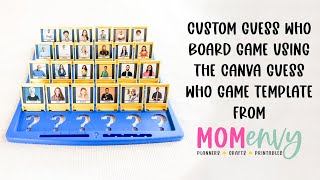
How to Make a Custom Guess Who Using this FREE Guess Who Game Template
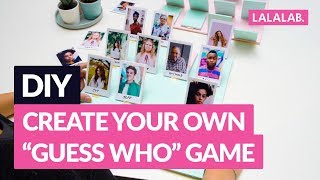
DIY - CREATE YOUR OWN "GUESS WHO" GAME
How To Play Guess Who Board Game-Full Tutorial
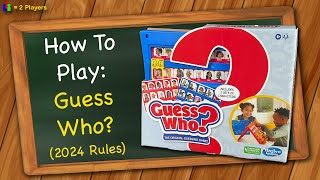
How to play Guess Who? (2024 Rules)
Facts about filmmaking for kids
🎲 Guess Who? was first sold by Milton Bradley in 1979 and challenges players to identify a character using yes/no questions.
🤹 Improvisational theatre relies on the core rule 'Yes, and...'—a great trick for quickly building funny characters on the spot.
📱 Many smartphones can shoot in 1080p or 4K and include features like slow motion and time-lapse to make short videos look cinematic.
🎭 Actors often switch characters fast using simple costume pieces like hats, glasses, or a scarf—easy props for solo Guess Who videos.
📣 Short, clue-based videos are hugely shareable; platforms like TikTok and Instagram Reels helped make bite-sized clips go viral.
How do I make a "Guess Who" video with my child?
What materials do I need to make a "Guess Who" video?
What ages is a "Guess Who" video activity suitable for?
What are the benefits and safety tips for making a "Guess Who" video?
